
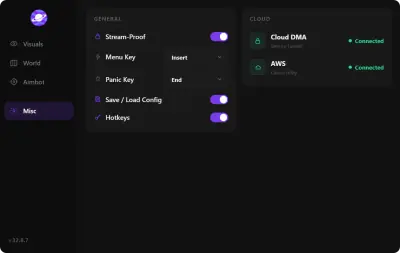
Grounded Stream-Proof Overlay: Check Your Recording
Learn what stream-proof mode covers and how to check ESP and menu visibility before broadcasting.
The stream-proof mode is intended to hide ESP and menus from OBS, Streamlabs and most capture tools. “Most” is a real limit: it does not mean every capture method or every possible recording setup. Treat the feature as something to verify in your own recording workflow before you rely on it during a live broadcast.
Understand the scope of the feature
Stream-proof describes capture visibility. It does not mean the software is undetectable, protect an account from sanctions or change game rules. The two elements specifically described are ESP and menus. The product does not document a universal exclusion for every screen recording method. Keep that distinction in mind when reading the Grounded feature list or deciding whether the mode fits your workflow.
Make a local test before going live
Use the capture application and recording arrangement you intend to broadcast with. Follow the supplied instructions for stream-proof mode, then make a short local recording that includes both gameplay and the product menu. Ask support for help with setup if a step in the current instructions is unclear.
Check ESP and the menu separately
Play back the recording rather than judging only from what is visible on your own game screen. Look at a moment when ESP is in use and a moment when the product menu is open. Both are covered by the stated feature, so test both. A recording that hides one element does not establish what happened to the other. Keep the test tied to your actual setup.
Repeat the check when the workflow changes
A different capture application or recording arrangement is a reason to check the output again. So is returning after a product or game update if you are unsure whether the supported build has changed. This is practical verification rather than a claim about a known defect. Keep the required Windows settings enabled and remember that Cloud DMA remains necessary for full functionality.
Report capture problems with context
If ESP or a menu appears in the test output, pause broadcasting and use Support or the existing Discord route. Include the order ID, Windows version, game build, capture tool and what appeared. Describe whether the issue concerns ESP, menus or both. The FAQ explains the documented capture scope and the rest of the setup requirements.