
Cloud DMA
A Hyper-V environment for one Windows PC with guided installation and encrypted activation.
In short
A Hyper-V environment on one PC
The guided installer sets up the virtual environment and activates the service over an encrypted connection.
Overview
Cloud DMA for the required infrastructure
Required separately for full Grounded Cheats functionality. Check Hyper-V and additional services before ordering.
System requirements
- 64-bit Windows 10 or 11 with Hyper-V available. Pro, Enterprise or Education is recommended.
- Intel VT-x or AMD-V enabled in firmware, with TPM and Secure Boot on.
- HVCI and Core Isolation enabled in Windows Security.
- At least 8 GB RAM. 16 GB is recommended.
- Stable broadband for activation and ongoing connectivity.
Cloud DMA sets up a Hyper-V virtual environment on one Windows PC and activates the service over an encrypted connection. It is the separate infrastructure purchase required for full Grounded Cheats functionality.
Prepare Windows and CPU virtualization before starting. GREENWARD, Static Server and AWS are additional required purchases for Cloud DMA. Read the entire requirement list so you can plan the setup before ordering.
Why Grounded Cheats needs Cloud DMA
The Grounded product requires Cloud DMA for full functionality on supported builds. Buy it separately and complete its setup before expecting the full Grounded feature set. DMA means direct memory access; this product provides a Cloud DMA infrastructure environment through a single-PC setup.
The single-PC Hyper-V environment
The guided installer provisions a virtual environment using Hyper-V on your Windows PC. The service then activates through an encrypted connection. This product is designed for one PC rather than an external DMA device or a second physical computer.
Additional required services
GREENWARD, Static Server and AWS are each required and purchased separately. They are not bundled into the Grounded product or this infrastructure license. Check the service instructions before starting installation.
Prepare Windows and firmware
Use 64-bit Windows 10 or 11 with Hyper-V available. Pro, Enterprise or Education is recommended. Enable Intel VT-x or AMD-V in firmware and keep TPM, Secure Boot, HVCI and Core Isolation on. At least 8 GB RAM is required; 16 GB is recommended. Keep a stable broadband connection for activation and continued connectivity.
Included
Cloud DMA features
The lifetime license covers the Cloud DMA infrastructure layer.
- Single-PC setup
- Guided Hyper-V installation
- Encrypted activation
- Lifetime access
Setup
From purchase to activation
Follow the Windows and Hyper-V checks before you run the installer.
Setup
- Layer A
Single-PC setup
Hyper-V runs on the gaming PC and connects to the service for activation.
More products
Other products
Explore the other three products and their setup requirements.
- Grounded Cheats Player and base ESP, resource ESP, aim assistance and a stream-proof overlay. View details: Grounded Cheats
- HWID Spoofer HWID Spoofer changes hardware identifiers and includes trace cleanup. It does not remove account sanctions and is not a Grounded requirement. View details: HWID Spoofer
- Skin Changer The cosmetic client draws weapon finishes, outfits and knife styles on your screen. Grounded compatibility is not confirmed; it is not required for Grounded Cheats. View details: Skin Changer
FAQ
Questions about this page
Answers for this page. The FAQ page holds the rest.
Blog
Related guides
Practical guides to Grounded Cheats, HWID Spoofer, Cloud DMA and Skin Changer.
Check your Windows edition, CPU virtualization, memory and security settings before the single-PC Cloud DMA setup.
Plan the separate Cloud DMA license, GREENWARD, Static Server and AWS requirements before starting activation.
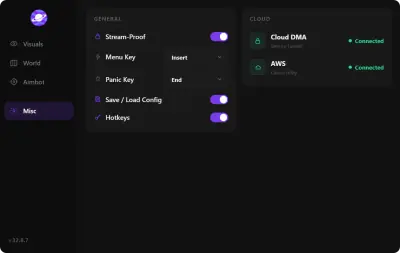
Check the PC, security settings and separate Cloud DMA setup before ordering Grounded Cheats.