
Grounded Server Configs: Keep Each Setup Ready
Organize per-server configs, record useful setup context and know when to check compatibility again.
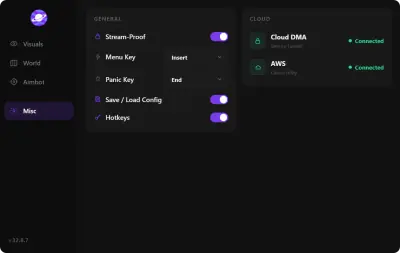
Grounded Cheats can save settings as a config for each server. That gives you a way to return to a setup without recreating it from memory. Organize the configs around the servers you actually use and the tasks you return to there. This guide covers a practical way to keep that context.
Give each configuration a clear purpose
Before making changes, decide which server the setup belongs to and what you use it for. A session focused on collecting materials has a different information priority from one focused on player locations. Keep a short personal note about that purpose. This is an organizational suggestion, not a claim that the loader contains a notes panel or automatically recognizes your activity.
Use the documented features as your reference
The main information features are player and base ESP, stash locations and resource gather nodes. Aim assistance supports ranged PvP. Stream-proof mode handles most capture tools. Use the available controls and supplied guide for those functions. Avoid copying a config recipe that asks for undocumented sliders, hotkeys or menu tabs: another product’s layout does not establish what this loader provides.
Save the server setup after you check it
Once the configuration suits the session, save it for that server using the supplied instructions. Keep separate setups where your needs differ, and check that the config you return to matches the server you intend to use. The product page explains the capabilities that belong to the Grounded setup.
Revisit the configuration after a major patch
A saved config is not proof that the current game build remains compatible. Major patches may require an update before you use the product again. Active subscribers receive compatibility updates without extra cost, but no update deadline is stated. Confirm the supported build and then review whether your saved setup still fits the session. Keep the PC requirements in place.
Make a useful support request
If saving or loading a config does not work as expected, describe what you tried and the result you got. Include your order ID, Windows version, game build and exact error through Support. If the problem affects recording, also name the capture tool and what was visible. That context is more useful than asking for a generic preset with undocumented settings.